
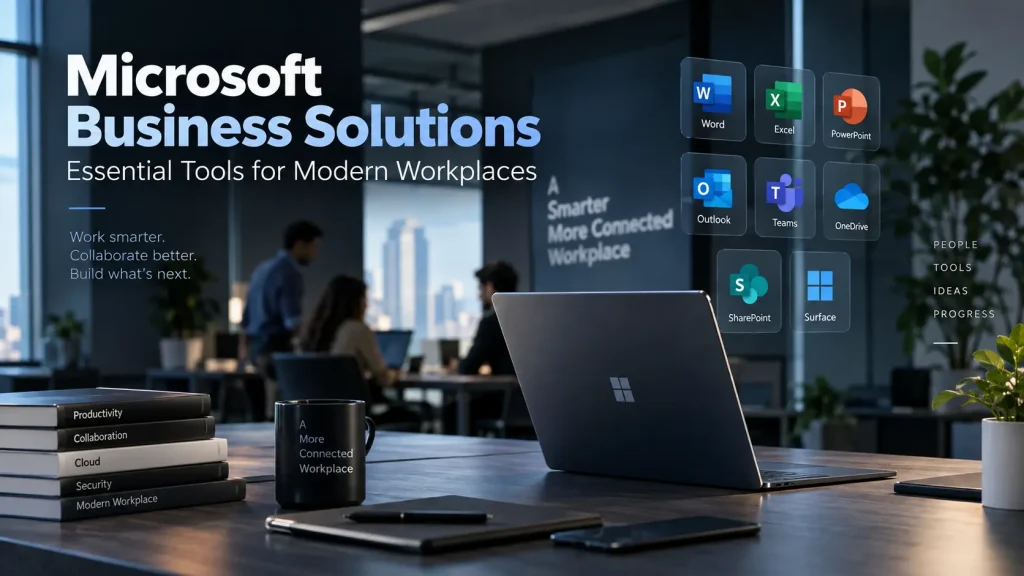
Modern businesses are no longer limited by office walls. Employees may work from different locations, collaborate across departments, communicate with customers remotely, and manage projects across multiple time zones. As work becomes increasingly distributed, businesses need technology that keeps people connected without creating unnecessary complexity.
Cloud productivity platforms have become an important part of this transition. Instead of relying on separate applications for email, meetings, document storage, messaging, and collaboration, organizations can bring many of these functions together within a connected digital environment.
Microsoft 365 for businesses provides this type of environment by combining productivity applications, communication tools, cloud storage, collaboration capabilities, and security features. When implemented effectively, these tools can help organizations improve communication, reduce duplicated work, and create more efficient workflows.
The Changing Nature of Workplace Collaboration
Traditional workplace communication often involves a combination of emails, phone calls, physical meetings, shared drives, and different software applications. While each tool may serve a purpose, switching between disconnected systems can create friction.
Employees may spend time searching for documents, checking different communication channels, arranging meetings, or determining which version of a file is current.
Cloud-based collaboration changes this model by making information and communication more accessible from a centralized digital environment. Employees can work from laptops, desktops, tablets, and smartphones while maintaining access to the resources they need.
This is particularly valuable for organizations supporting hybrid and remote work. Teams can collaborate without requiring everyone to be physically present in the same office.
How Cloud Productivity Tools Improve Collaboration
1. Centralized Communication
One of the biggest advantages of a connected productivity environment is centralized communication.
Employees can use messaging, email, video meetings, and voice communication according to the requirements of a particular situation. A quick question may only require a chat message, while a complex discussion may be better handled through a video meeting.
Microsoft Teams brings messaging, video meetings, calling, file sharing, and collaboration together within one platform. The platform supports both office-based and remote teams, making it easier for employees to stay connected regardless of their location.
This can reduce dependence on multiple disconnected communication applications and make internal communication easier to manage.
2. Better File Collaboration
File management is another important part of workplace productivity.
When employees send documents through email as attachments, multiple copies can quickly appear. This creates uncertainty about which version contains the latest changes.
Cloud storage and collaboration tools provide a more structured approach. Documents can be stored centrally, accessed by authorized employees, and updated as projects develop.
Integration with OneDrive and SharePoint also allows employees to collaborate around business documents while maintaining a connection between communication and the files being discussed. Microsoft Teams supports integration with OneDrive and SharePoint as part of its collaboration environment.
For businesses managing proposals, presentations, spreadsheets, contracts, reports, and project documentation, this can significantly simplify day-to-day work.
3. Easier Remote and Hybrid Work
Hybrid work requires more than simply giving employees laptops.
Organizations need communication systems that allow employees to participate in meetings, access documents, communicate with colleagues, and manage work securely from different locations.
Cloud-based productivity tools support this model by allowing employees to access workplace applications through supported devices and locations.
Microsoft Teams, for example, supports desktop, web, and mobile access and is designed to support remote, hybrid, and office-based teams.
This allows organizations to maintain continuity when employees are travelling, working from home, or operating from different branches.
Microsoft Teams and Business Communication
Communication is at the heart of collaboration, and this is where Teams can become particularly valuable.
The platform combines instant messaging, video conferencing, voice calling, screen sharing, meeting recording, and file collaboration. Businesses can therefore use the same environment for everyday conversations as well as structured meetings.
For organizations that still depend heavily on traditional office phone systems, Teams Phone provides another layer of functionality.
Teams Phone can operate as a cloud-based business phone system, offering features such as voicemail, call queues, auto attendants, call forwarding, and PSTN connectivity. This can help organizations move away from legacy PBX systems while keeping business calling within a familiar collaboration environment.
The result is a more unified communication strategy rather than separate systems for internal messaging, meetings, and business calls.
4. Improved Meeting Productivity
Meetings can consume a significant amount of employee time. The challenge is not simply conducting meetings but making sure the information generated during them remains useful afterward.
Cloud collaboration platforms can help organizations capture meeting information more effectively.
Depending on the plan and configuration, Microsoft Teams supports features such as meeting recordings, live captions, searchable transcripts, and AI-powered meeting recaps. These capabilities can make it easier for employees to review discussions and understand key information without relying entirely on handwritten notes.
This becomes particularly useful when employees cannot attend a meeting or when project discussions need to be referenced later.
5. Integration With Existing Business Applications
Productivity improves when applications work together rather than operate as isolated systems.
A sales employee may need Outlook for communication, Excel for analysis, PowerPoint for presentations, and Teams for meetings. A project manager may use SharePoint for documents and Teams for coordination.
Integrating these applications reduces unnecessary switching between platforms.
Microsoft Teams integrates with Microsoft 365 applications including Outlook, OneDrive, SharePoint, Word, Excel, PowerPoint, Dynamics 365, and Power Platform.
For businesses, the value comes from connecting these tools to actual workflows rather than simply purchasing software licenses.
6. Stronger Support for Hybrid Teams
Hybrid organizations need consistent communication regardless of where employees are working.
A cloud-based collaboration environment allows businesses to establish common communication practices. Employees can participate in meetings, access documents, communicate with colleagues, and collaborate on projects through the same digital environment.
This can also help create greater consistency between headquarters, branch offices, remote employees, and external teams.
For businesses with geographically distributed operations, this consistency can be especially valuable.
7. Security and Administration
Business collaboration cannot be separated from security.
As more information moves through cloud platforms, organizations need appropriate controls for user identities, access permissions, authentication, and data protection.
Microsoft Teams supports enterprise security capabilities including Microsoft Entra ID, multi-factor authentication, encryption, and administrative controls through the Microsoft Teams Admin Center.
However, technology alone does not guarantee security. Businesses still need appropriate policies for account management, permissions, employee access, device security, and data handling.
A well-planned implementation should therefore consider both productivity and security from the beginning.
Choosing the Right Cloud Productivity Strategy
Implementing cloud productivity tools should not simply involve purchasing subscriptions and giving employees access.
Businesses should first evaluate how employees currently communicate and collaborate.
Important questions include:
- Which communication tools are currently being used?
- How are business documents stored and shared?
- Do employees work remotely or across multiple locations?
- Are traditional phone systems still required?
- Which applications need to integrate with collaboration tools?
- What security and compliance requirements apply?
- How will user accounts and permissions be managed?
- What training will employees need?
Answering these questions helps organizations build a technology environment around actual business requirements rather than adopting software without a clear purpose.
Why Professional Implementation Matters
Even powerful cloud platforms can create problems when they are poorly configured.
Businesses may need support with licensing, migration, user setup, application integration, security configuration, employee training, and ongoing management.
IJONA Technologies provides Microsoft Teams and Teams Phone solutions across the UAE, including licensing, deployment, migration, integration, user training, configuration, and ongoing support.
This type of implementation support can help businesses transition from fragmented communication systems toward a more unified workplace environment.
The Future of Business Collaboration
The workplace is becoming increasingly connected, distributed, and digital. Businesses need collaboration platforms that can adapt to changing work models while maintaining productivity and security.
Cloud productivity tools can help organizations bring communication, file collaboration, meetings, business calling, and application integration into a more connected environment.
The real benefit, however, is not the software itself. It is the ability to create smoother workflows where employees can communicate quickly, access the information they need, collaborate on projects, and continue working regardless of location.
For organizations planning their next stage of digital transformation, a well-designed Microsoft cloud environment can provide a strong foundation for modern workplace collaboration. With the right technology, implementation strategy, and user adoption, businesses can turn disconnected workplace activities into a more coordinated and productive digital experience.