
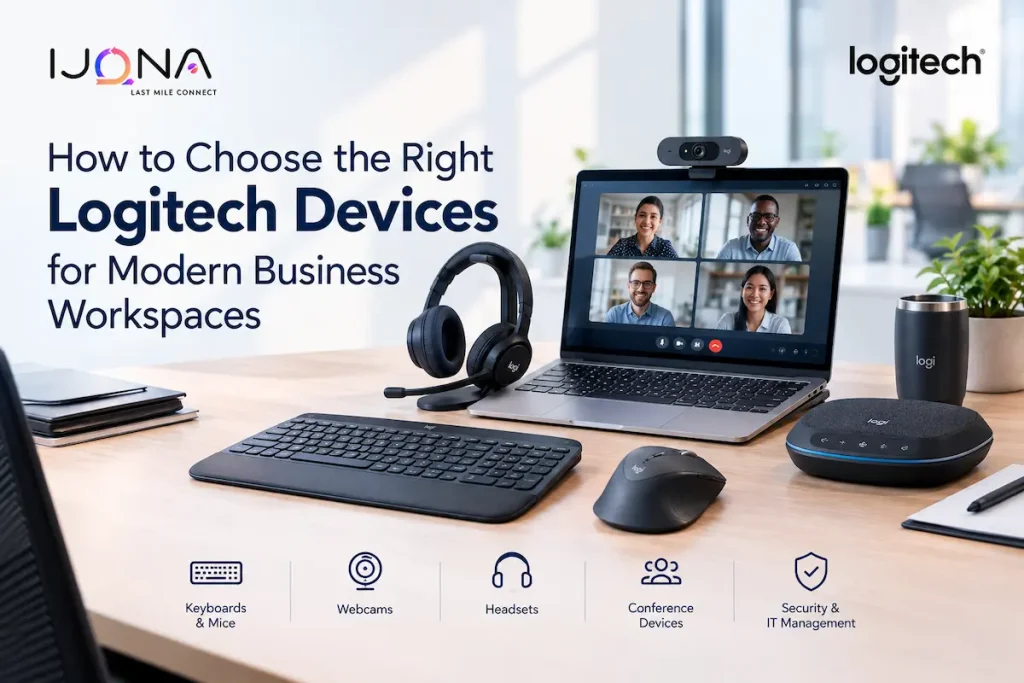
The modern workplace has changed significantly. Employees may work from traditional offices, home offices, coworking spaces, meeting rooms, or a combination of all four. As businesses adopt hybrid working models and increasingly rely on digital collaboration, workplace hardware has become an important part of productivity.
A keyboard, mouse, webcam, headset, or conference device may seem like a relatively small investment compared with laptops and business software. However, these peripherals are used throughout the working day. Poorly selected devices can create unnecessary distractions, connectivity issues, discomfort, and inefficient workflows.
Choosing the right workplace peripherals therefore requires more than simply selecting the most popular model. Businesses need to consider employee roles, working environments, connectivity, ergonomics, compatibility, security, manageability, and long-term requirements.
Why Workplace Peripherals Matter
Employees interact with their computers through peripherals every day.
A salesperson may spend hours moving between spreadsheets, CRM systems, email, and presentations. A designer may work with high-resolution displays and precision applications. An executive may regularly move between multiple computers. A customer service employee may spend much of the day on calls.
These different workflows create different hardware requirements.
For example, a standard mouse may be sufficient for occasional computer use, but employees who spend several hours navigating spreadsheets, documents, dashboards, and multiple applications may benefit from additional buttons, more precise tracking, customizable controls, and an ergonomic design.
The same principle applies to keyboards, headsets, webcams, and other workplace equipment.
Start With Employee Requirements
The first step in selecting workplace devices should be understanding how employees work.
Instead of giving every employee the same peripheral package, businesses can categorize users based on their roles.
General Office Employees
Administrative staff and employees who primarily work with email, documents, spreadsheets, and web applications generally need reliable and comfortable keyboards and mice.
The focus should be on durability, ease of use, wireless connectivity, and comfortable operation rather than unnecessary advanced features.
Creative Professionals
Designers, video editors, architects, and other creative professionals may have more demanding requirements.
Precision tracking, programmable controls, high-resolution display compatibility, and ergonomic design can become more important for these users.
Executives and Managers
Executives often work across multiple locations and may switch between laptops, desktops, conference rooms, and home offices.
Portable devices, multi-device connectivity, long battery life, and a premium ergonomic design can therefore be useful.
Customer-Facing Employees
Employees who spend much of their day in video meetings or voice calls need reliable audio and video equipment.
For these users, headset quality, microphone performance, background-noise management, webcam quality, and easy connectivity can directly affect communication.
Consider Connectivity Options
Wireless connectivity is now common in modern workspaces, but businesses should still consider how devices connect to computers.
Bluetooth can be useful for employees who regularly switch between compatible devices. USB receivers can provide an alternative connection method, particularly in managed business environments.
Some professional Logitech peripherals support both Bluetooth Low Energy and Logi Bolt wireless connectivity. The MX Master 3S for Business, for example, supports both connection methods and offers a wireless range of up to 10 metres under suitable conditions.
Businesses should also consider the available ports on employee computers. A device that requires USB-A may require an adapter when deployed alongside laptops that primarily use USB-C.
Planning for connectivity before purchasing equipment can prevent avoidable compatibility problems during deployment.
Ergonomics Should Be a Priority
Employees may use their mouse and keyboard for several hours every working day. As a result, comfort should be treated as an important purchasing consideration rather than an optional feature.
An ergonomic device should feel natural to use and should allow employees to maintain a comfortable working position.
Mouse shape, button placement, scroll-wheel design, keyboard layout, key resistance, and overall size can all affect the user experience.
For example, the MX Master 3S for Business uses a full-size shape designed around palm support and includes several customizable controls.
However, ergonomics are highly individual. A device that feels comfortable to one employee may not feel equally comfortable to another.
Where possible, organizations should consider user preferences when selecting equipment for employees who spend particularly long periods at their desks.
Look at Productivity Features
Modern business peripherals can offer features beyond basic input.
Customizable buttons can allow employees to assign shortcuts to frequently used functions. This can be useful for professionals who repeatedly perform the same actions throughout the day.
The MX Master 3S for Business, for example, includes seven buttons and supports customization through Logitech’s Logi Options+ software on Windows and macOS.
For employees working extensively with spreadsheets, creative applications, project-management platforms, or other productivity software, these shortcuts can reduce repetitive navigation.
The value of customization depends on the employee. Businesses should therefore prioritize these features for power users rather than assuming every employee needs them.
Consider Multi-Computer Workflows
Many modern professionals work with more than one computer.
An employee might use a desktop workstation in the office while also working from a laptop. IT administrators may need to manage multiple systems, while executives may switch between personal and corporate devices.
A peripheral that supports multiple computers can simplify these workflows.
The MX Master 3S for Business supports switching between up to three computers through its Easy-Switch functionality.
This can reduce the need for separate keyboards and mice and make multi-device work more convenient.
Noise Can Affect Workplace Productivity
Open-plan offices create a unique challenge: sounds generated by keyboards, mice, calls, and conversations can affect concentration.
A quieter peripheral can help reduce one source of unnecessary workplace noise.
Logitech’s Quiet Click technology on the MX Master 3S for Business is designed to reduce click noise by 90% compared with the previous MX Master 3.
For shared workspaces, this type of feature can be useful for creating a quieter environment.
However, businesses should consider the overall workspace. A quieter mouse alone will not solve broader acoustic problems, but it can contribute to a less distracting desk environment.
Security Matters for Business Devices
Peripheral security is sometimes overlooked when businesses evaluate hardware.
Wireless devices used in corporate environments should provide reliable connections and appropriate security features.
Logi Bolt, used with compatible business devices, provides an encrypted wireless connection and is FIPS compliant when paired with the included receiver. Logitech also positions the technology for use in environments where wireless reliability and security are important.
For organizations managing large numbers of devices, wireless security should therefore be included in the procurement process rather than treated as an afterthought.
Think About IT Management
Managing a few peripherals is straightforward. Managing hundreds or thousands is different.
Large organizations should consider whether devices can be deployed consistently, configured centrally, updated efficiently, and supported across different operating systems.
Logitech’s business-oriented software ecosystem supports IT management capabilities, including centralized settings and firmware management for supported devices.
This can be valuable for organizations that need consistent configurations across large numbers of employee workstations.
IT teams should also maintain an inventory of workplace devices so they can track replacements, warranties, and lifecycle requirements.
Choose Devices According to the Workspace
The physical environment should also influence hardware decisions.
An employee working at a permanent desk may benefit from a larger ergonomic mouse and full-size keyboard. Someone who travels frequently may prioritize compact equipment.
Employees in open offices may benefit from quieter devices, while meeting-room users may need specialized webcams, speakers, or conferencing systems.
Remote employees may require a combination of webcam, headset, keyboard, mouse, and other equipment to recreate an effective workspace outside the office.
The best hardware strategy is therefore not necessarily about selecting one device for everyone.
Build a Standardized Hardware Strategy
Standardization can simplify procurement and IT support.
Businesses can create a small number of approved hardware categories, such as:
- Standard office keyboard and mouse
- Premium productivity mouse for power users
- Ergonomic peripherals for intensive computer users
- Headsets for communication-heavy roles
- Webcams for remote and hybrid employees
- Conference devices for meeting rooms
- Portable peripherals for employees who travel
This approach gives employees appropriate choices without creating an unnecessarily large hardware portfolio.
It also makes replacement and support easier for IT teams.
Evaluate the Total Cost of Ownership
The cheapest device is not always the most economical option.
Businesses should consider the full lifecycle of workplace hardware, including purchase price, warranty, replacement frequency, battery requirements, support costs, compatibility, and employee productivity.
A more durable and comfortable device may cost more initially but could provide greater value over several years.
Organizations should also consider how easily devices can be replaced and whether spare units can be maintained for urgent requirements.
Making the Right Choice
Selecting workplace peripherals should ultimately be based on how employees work.
Businesses should evaluate the type of tasks performed, working environment, connectivity requirements, ergonomic needs, security expectations, device management requirements, and budget before standardizing their hardware.
A basic office employee may need only a reliable keyboard and mouse, while a designer, analyst, executive, or IT professional may benefit from advanced controls and multi-device functionality.
For example, the Logitech devices for business available for professional workspaces can be evaluated based on factors such as precision, connectivity, customization, comfort, and multi-computer use.
The goal should not be to equip every employee with the most advanced hardware available. Instead, businesses should create a workplace technology strategy that matches devices to actual employee requirements.
When peripherals are comfortable, reliable, secure, and suited to individual workflows, even seemingly small hardware decisions can contribute to a more productive and efficient modern workplace.