
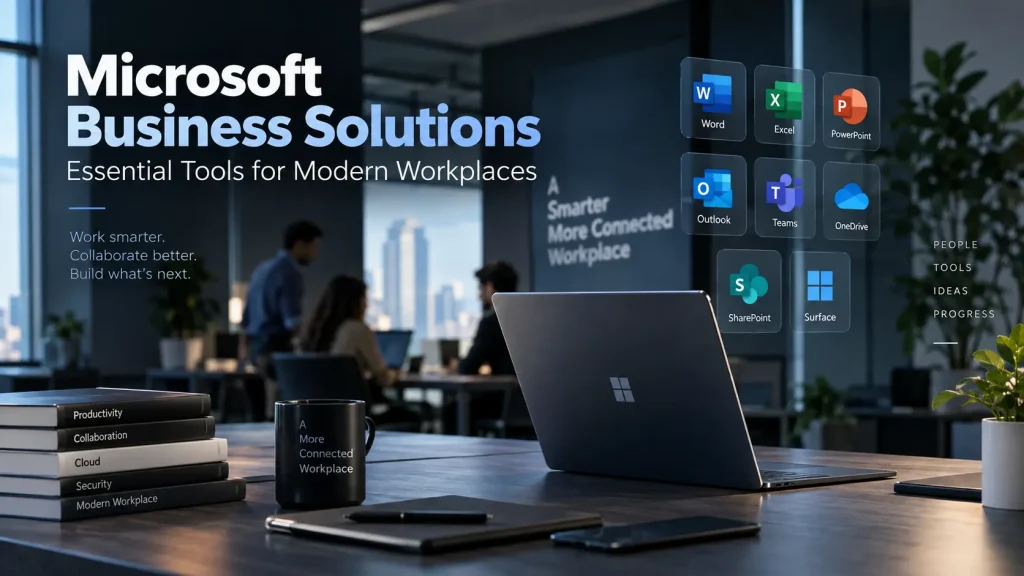
Modern workplaces depend on technology for almost every aspect of daily operations. Employees communicate through digital platforms, create and share documents online, attend virtual meetings, manage projects, analyze information, and collaborate with colleagues across different locations. As businesses become more digitally connected, having the right technology ecosystem is essential for maintaining productivity and efficiency.
Microsoft has developed a broad range of products and services designed to support these workplace requirements. From productivity applications and cloud platforms to business computers and collaboration tools, Microsoft’s ecosystem can help organizations create a connected digital workplace.
However, choosing the right technology requires businesses to look beyond individual products. Companies need to understand how different tools fit into their workflows, security policies, employee requirements, and long-term technology strategy.
Understanding the Modern Workplace
The workplace has changed significantly over the last few years.
Employees may work from corporate offices, homes, client locations, or while travelling. Teams can include people working across multiple cities and countries. At the same time, businesses increasingly rely on cloud applications and digital communication.
This creates a need for technology that supports collaboration regardless of location.
A modern workplace should allow employees to access the information and applications they need while maintaining appropriate security and administrative controls.
Microsoft’s ecosystem can support many of these requirements by bringing together productivity, communication, cloud computing, device management, and security capabilities.
Microsoft 365 for Productivity
Productivity applications remain at the center of many business operations.
Microsoft 365 provides access to familiar applications such as Word, Excel, PowerPoint, Outlook, and other services that businesses use for documentation, communication, presentations, spreadsheets, and collaboration.
For organizations, the advantage is not simply access to individual applications. Cloud-based services can allow employees to access files and work from different devices while enabling teams to collaborate more easily.
Employees can create documents, share information, manage calendars, communicate through email, and work together on files without being restricted to a single physical workstation.
Businesses should nevertheless establish appropriate policies for file sharing, access permissions, and data protection.
Microsoft Teams for Collaboration
Communication is a major requirement for distributed and hybrid teams.
Microsoft Teams provides organizations with tools for messaging, meetings, voice communication, file collaboration, and team-based work.
Instead of relying on separate platforms for every communication requirement, businesses can use an integrated environment for many daily interactions.
Teams can also support virtual meetings with employees, customers, suppliers, and business partners.
For organizations with hybrid employees, collaboration platforms can help maintain communication between people working in different locations.
However, technology alone does not guarantee effective collaboration. Businesses should establish clear communication policies and ensure employees understand how different channels should be used.
Microsoft Surface Devices for Professional Users
Hardware is another important part of the digital workplace.
Employees need computers capable of running productivity applications, communication platforms, browsers, business software, and other tools used throughout the day.
Microsoft Surface devices are designed to combine Microsoft’s software ecosystem with purpose-built hardware. Depending on the model, businesses can choose between traditional laptop designs and more flexible devices suited to different working styles.
The Microsoft Surface Laptop range, for example, can provide a portable option for employees who need to work from different locations. Surface Pro devices offer a more flexible form factor for users who value portability and tablet-style interaction alongside laptop functionality.
Businesses can explore Microsoft business solutions when evaluating Microsoft hardware and workplace technologies for professional environments.
The appropriate device should depend on the employee’s role, software requirements, mobility needs, and security policies.
Cloud Storage and File Access
Access to business information is essential for modern employees.
Cloud storage allows organizations to centralize files and provide employees with access according to defined permissions.
Microsoft OneDrive and SharePoint can support personal and organizational file storage, sharing, and collaboration within the broader Microsoft ecosystem.
This can reduce dependence on files stored exclusively on individual computers.
Businesses should still implement appropriate data governance. Not every employee should automatically have access to every document, and organizations should define policies for file retention, sharing, and external access.
Security and Identity Management
As businesses move more operations online, identity security becomes increasingly important.
Employees may access company systems from multiple devices and locations. A compromised account can potentially provide access to business information, applications, and other resources.
Microsoft provides security and identity capabilities through its broader business ecosystem, including authentication, access management, endpoint security, and compliance tools.
Multi-factor authentication is one important security measure because it adds an additional verification step beyond a password.
Organizations should also use role-based access controls and regularly review user permissions.
Security should be built into workplace technology from the beginning rather than introduced only after systems have been deployed.
Device Management
Managing company computers becomes increasingly challenging as the workforce expands.
An organization with a few employees may be able to configure devices manually. However, businesses with dozens or hundreds of devices need more structured management.
Microsoft Intune provides cloud-based capabilities for managing devices, applications, configurations, and security policies.
Centralized device management can help IT teams deploy applications, enforce policies, monitor device compliance, and manage company-owned equipment.
This can be particularly valuable for organizations supporting remote employees because IT teams can manage devices without requiring every employee to physically visit the office.
Windows for Business
The operating system is another important component of workplace technology.
Windows provides a familiar environment for many organizations and supports a wide range of business applications.
Windows 11 Pro includes features designed for professional environments, including enhanced security, management, and productivity capabilities.
Businesses should ensure that their hardware is compatible with the operating system and that devices receive regular security and feature updates.
Standardizing operating systems across an organization can also simplify support and employee training.
Power Platform and Business Automation
Many businesses rely on repetitive manual processes that could potentially be streamlined through automation.
Microsoft Power Platform provides tools such as Power Automate, Power Apps, and Power BI that can help organizations automate workflows, build business applications, and analyze information.
For example, a company could automate notifications when a form is submitted, create an internal application for a specific business process, or build dashboards for management reporting.
Automation should begin with clearly defined processes. Businesses should first identify repetitive or inefficient activities and then determine whether technology can improve them.
Data and Business Intelligence
Organizations generate large amounts of information through sales, operations, customer interactions, finance, marketing, and other activities.
Simply collecting data does not automatically create business value. Employees need ways to understand that information.
Microsoft Power BI can help organizations create reports and dashboards from different data sources.
Businesses can use data visualization to monitor performance indicators, identify trends, compare results, and support decision-making.
The effectiveness of analytics depends heavily on data quality. Companies should establish processes for maintaining accurate, consistent, and well-structured information.
Integration Across the Workplace
One of the biggest advantages of an integrated technology ecosystem is the ability to connect different tools.
Employees can communicate through Teams, create documents using Microsoft 365 applications, store information through cloud services, access systems through Windows devices, and manage data through business intelligence tools.
Integration can reduce unnecessary switching between unrelated platforms and make workflows easier to manage.
However, businesses should avoid implementing technologies simply because they are available. Every tool should have a clear business purpose.
Choosing the Right Devices for Employees
Not every employee requires the same hardware.
A finance employee may need a larger display and sufficient memory for spreadsheets. A salesperson may prioritize lightweight hardware and battery life. A manager may need a premium device for presentations and frequent travel, while a creative professional may require more powerful processing and graphics capabilities.
Microsoft’s Surface portfolio provides different form factors that can be matched to different working styles.
Businesses should therefore create device categories based on employee requirements rather than purchasing identical systems for everyone.
The Importance of a Technology Partner
Implementing workplace technology involves more than purchasing software and devices.
Businesses need to consider licensing, deployment, configuration, user training, security, device management, technical support, and future upgrades.
An experienced technology supplier can help organizations assess their requirements and identify suitable products and configurations.
For businesses evaluating Microsoft devices and workplace technologies, IJONA Technologies provides access to Microsoft Surface products and professional technology solutions.
A technology partner can also help organizations standardize procurement and simplify ongoing support.
Final Thoughts
Modern businesses require technology that supports productivity, collaboration, security, mobility, and efficient decision-making.
Microsoft’s ecosystem provides organizations with a broad selection of tools that can address many of these requirements, from productivity applications and collaboration platforms to cloud services, device management, analytics, and professional hardware.
The key is selecting technologies based on actual business requirements.
Companies should evaluate how employees work, what applications they need, how information is managed, and what security controls are required. Hardware should be selected according to employee roles, while software and cloud services should be integrated into clearly defined workflows.
With thoughtful planning, businesses can build a digital workplace that helps employees remain productive while providing IT teams with greater control and visibility.
Technology should ultimately serve the business rather than complicate it. By choosing appropriate tools and implementing them strategically, organizations can create a workplace that is more connected, secure, and prepared for future growth.