
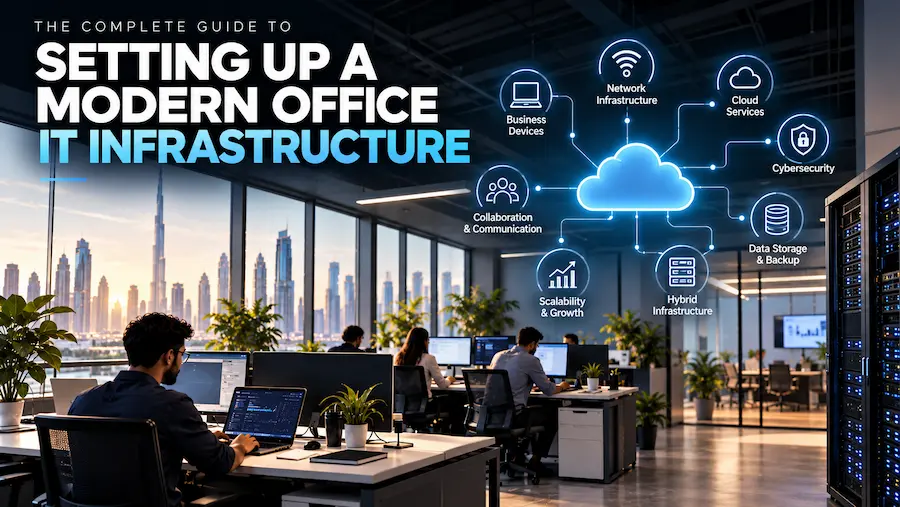
A modern office depends on much more than computers and an internet connection. Employees need reliable devices, secure networks, cloud applications, communication tools, data storage, cybersecurity controls, and systems that can support collaboration from different locations.
As businesses grow, these components become increasingly interconnected. A slow network can affect cloud applications. Poor device management can create security risks. Inadequate storage can make collaboration difficult, while an outdated server environment can limit the organization’s ability to scale.
Building a modern office therefore requires a structured approach to technology. Rather than purchasing equipment as individual needs arise, businesses should design an IT environment around their employees, applications, data, security requirements, and future growth.
What Makes an Office IT Infrastructure “Modern”?
A modern IT environment is designed around flexibility, connectivity, security, and scalability.
Traditional offices often depend heavily on physical servers, fixed workstations, local file storage, and hardware that must be manually maintained. While these systems can still have a role in certain organizations, cloud computing and modern networking have changed how businesses can design their technology environments.
Cloud platforms allow organizations to access computing, storage, databases, networking, analytics, and other services without having to operate all of the underlying physical infrastructure themselves. Microsoft describes Azure as a cloud platform for building and running workloads across cloud, hybrid, and edge environments.
A modern office does not necessarily mean moving everything to the cloud. Instead, it means selecting the right combination of cloud, on-premises, and hybrid technologies for the business.
1. Start With a Reliable Network
The network is the foundation of almost every modern workplace.
Employees depend on connectivity for email, cloud applications, video meetings, file sharing, business systems, and internet-based services. If the network is unreliable, even the best software and hardware will perform poorly.
A business network may include:
- Routers
- Managed switches
- Wireless access points
- Firewalls
- VPN or secure remote-access solutions
- Network monitoring tools
- Structured cabling
- Guest networks
- Segmented networks for different users and systems
Businesses should also consider future requirements rather than designing a network only for today’s number of employees.
Network capacity should account for additional employees, cloud applications, video conferencing, wireless devices, IoT equipment, and future locations.
Modern cloud networking can also connect cloud resources with on-premises infrastructure. Azure networking services, for example, support connectivity between cloud resources, on-premises networks, and the internet while providing capabilities for traffic management, security, and monitoring.
2. Choose the Right Business Devices
Employees need reliable hardware to perform their daily responsibilities.
A typical office may require laptops, desktops, monitors, docking stations, keyboards, mice, headsets, webcams, printers, and other peripherals.
However, not every employee needs the same equipment.
A finance employee working primarily with spreadsheets may benefit from a large monitor and powerful processor. A sales employee who travels frequently may need a lightweight business laptop. A designer may require a workstation with additional graphics capabilities.
The right approach is to categorize employees according to their roles and establish standard device configurations for each category.
This makes procurement easier while ensuring employees receive hardware appropriate to their workloads.
3. Build a Cloud Strategy
Cloud computing has become an important component of modern business infrastructure.
Instead of maintaining every application and workload on physical servers within an office, organizations can use cloud services for computing, storage, databases, backup, applications, analytics, and other requirements.
Azure provides services across categories including compute, storage, databases, networking, security, identity, analytics, migration, and hybrid environments.
Cloud adoption can provide businesses with greater flexibility, but moving everything to the cloud without planning can create unnecessary costs and complexity.
Organizations should first identify which workloads benefit from cloud deployment and which may need to remain on-premises.
4. Consider Hybrid Infrastructure
For many businesses, the choice is not simply cloud versus on-premises.
Some applications may depend on existing servers or specialized systems, while newer workloads may be better suited to cloud environments.
A hybrid approach allows organizations to connect these environments.
For example, a business could maintain certain internal systems while using cloud services for backup, collaboration, analytics, disaster recovery, or new applications.
Azure supports hybrid and multicloud scenarios, giving organizations options for connecting existing environments with cloud services.
Hybrid infrastructure can be particularly useful for organizations that need to modernize gradually rather than replace their entire technology environment at once.
5. Protect the Network and Endpoints
Cybersecurity should be incorporated into infrastructure design from the beginning.
A modern office can have dozens or hundreds of endpoints connecting to its network. Laptops, smartphones, tablets, servers, cloud applications, and remote devices can all become potential entry points for threats.
Businesses should therefore consider:
- Firewalls
- Endpoint protection
- Multi-factor authentication
- Identity management
- Access controls
- Network segmentation
- Security monitoring
- Patch management
- Encryption
- Backup and recovery
- Employee security awareness
Cloud adoption does not eliminate security responsibilities.
Microsoft’s shared responsibility model explains that security responsibilities are divided between the cloud provider and the customer depending on whether an organization uses IaaS, PaaS, or SaaS services.
Businesses therefore need to understand what the provider manages and what remains their responsibility.
6. Establish Identity and Access Management
As businesses adopt cloud applications, controlling who can access what becomes increasingly important.
Employees should not automatically have access to every system or file.
Identity management allows organizations to define user accounts, authentication requirements, permissions, and access policies.
Businesses should follow the principle of least privilege, giving employees only the access required for their roles.
Multi-factor authentication can provide another layer of protection by requiring additional verification beyond a password.
Identity management also becomes important when employees join, change roles, or leave an organization. Access should be updated promptly to reduce unnecessary exposure.
7. Set Up Reliable Data Storage and Backup
Business data is one of an organization’s most valuable assets.
Documents, financial records, customer information, project files, databases, and operational data all need appropriate storage and protection.
Businesses should determine:
- Where data is stored
- Who can access it
- How it is backed up
- How long backups are retained
- How quickly data can be restored
- Where recovery copies are maintained
Cloud storage can provide scalable options, while traditional backup infrastructure may still be appropriate for certain workloads.
The important consideration is not simply having a backup but regularly testing whether the organization can actually restore its data.
8. Prepare for Disaster Recovery
Technology failures can happen for many reasons, including hardware failures, cyber incidents, software problems, human error, power disruptions, and natural disasters.
A disaster recovery strategy defines how the organization will respond when critical systems become unavailable.
Businesses should identify their most important applications and determine acceptable recovery times and data-loss thresholds.
Cloud platforms can support disaster recovery strategies by providing additional infrastructure and recovery options. Azure, for example, includes capabilities for backup, resiliency, and disaster recovery as part of its broader cloud platform.
9. Support Remote and Hybrid Employees
Modern office infrastructure should extend beyond the physical office.
Employees may work from home, travel between branches, or access systems while visiting customers.
This means organizations need secure remote access, cloud applications, reliable authentication, endpoint protection, and communication platforms that support employees outside the office.
Remote access should also be monitored and controlled rather than treating external connections as automatically trustworthy.
10. Monitor Infrastructure Performance
Setting up infrastructure is only the beginning.
IT teams need visibility into network performance, system availability, storage capacity, device health, security events, and application performance.
Monitoring can help identify problems before they significantly affect employees.
For example, unusual network traffic may indicate a security issue, while increasing storage usage can signal the need for additional capacity.
Infrastructure monitoring should therefore be part of everyday IT operations rather than something performed only when a problem occurs.
11. Plan for Scalability
A growing business should not need to redesign its entire IT environment every time it hires new employees or opens another office.
Scalability should therefore be considered during the initial design.
This could mean selecting network equipment with additional capacity, adopting cloud services that can scale with demand, using standardized devices, and establishing repeatable onboarding processes.
Cloud platforms can be particularly useful where organizations need computing resources that can increase or decrease according to demand.
12. Create a Practical IT Roadmap
A successful infrastructure project does not need to happen all at once.
Businesses can prioritize projects based on operational importance.
A typical roadmap could include:
Phase 1: Network assessment and device standardization
Phase 2: Security and identity improvements
Phase 3: Cloud adoption and application modernization
Phase 4: Backup and disaster recovery
Phase 5: Monitoring and optimization
This phased approach allows organizations to improve infrastructure while maintaining business continuity.
Common Mistakes to Avoid
Several mistakes can undermine an otherwise well-planned infrastructure project.
One is buying technology without first understanding business requirements. Another is focusing on hardware while ignoring cybersecurity and data protection.
Businesses can also create unnecessary complexity by adopting too many disconnected applications.
Another common mistake is failing to document the infrastructure. Network diagrams, device inventories, software records, access policies, and recovery procedures can make future maintenance significantly easier.
Finally, organizations should avoid treating IT infrastructure as a one-time project. Technology requirements change continuously, so infrastructure needs regular reviews and optimization.
Building a Future-Ready Office
A modern workplace requires an IT environment that can support employees today while remaining flexible enough for tomorrow.
A well-designed modern office IT infrastructure combines reliable networking, appropriate devices, cloud and hybrid services, cybersecurity, identity management, data protection, backup, disaster recovery, and monitoring.
The objective should not be to deploy the largest number of technologies possible. Instead, businesses should create an environment where every component serves a clear operational purpose.
As organizations continue adopting cloud services, remote work, automation, analytics, and AI, the infrastructure supporting those technologies will become increasingly important. A thoughtful foundation can make future technology adoption easier while helping businesses remain secure, productive, and prepared for growth.