
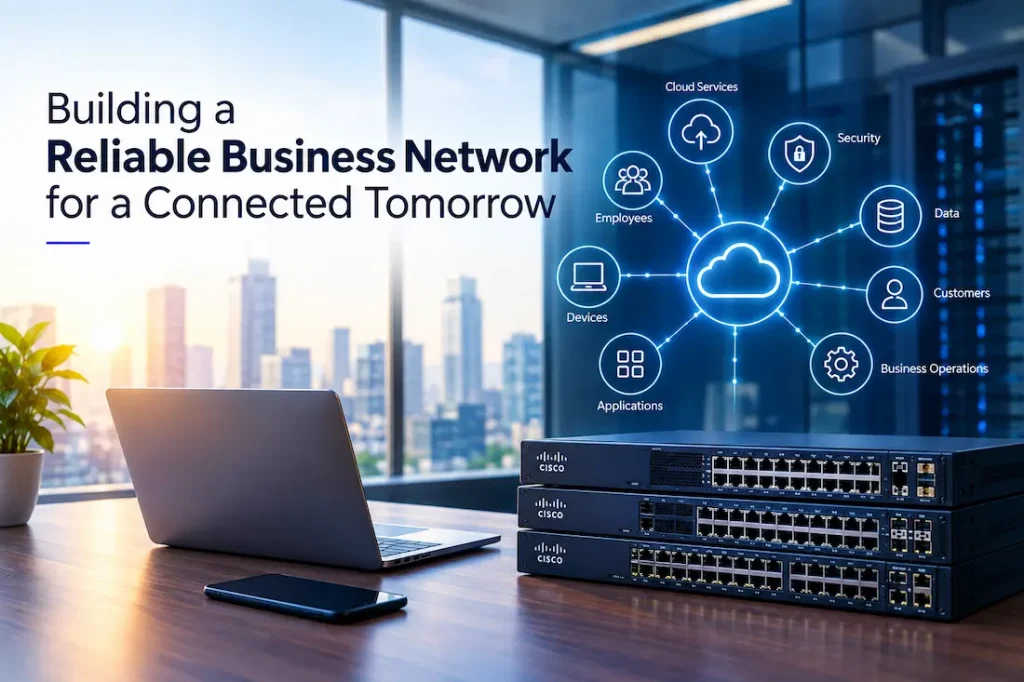
A reliable business network is no longer a luxury. It is the foundation that connects employees, applications, cloud platforms, devices, customers, and business operations. From sending emails and joining video meetings to accessing cloud applications and transferring critical files, almost every modern business process depends on stable connectivity.
As organizations grow, however, their networking requirements become increasingly complex. More employees mean more devices. More applications create additional network traffic. Remote and hybrid working introduce new access requirements, while cloud services change the way data moves between users and systems.
For this reason, businesses need to think carefully about how their network is designed, deployed, secured, and maintained. Cisco’s networking portfolio includes enterprise switching, routing, security, wireless, and management technologies that can help organizations build scalable network environments.
One important component is the Cisco Catalyst 9200 and 9300 Series, which are designed for enterprise and campus networking environments. The right configuration depends on the organization’s size, architecture, applications, and operational requirements.
Start With a Clear Network Strategy
Before purchasing networking equipment, businesses should understand what their network needs to accomplish.
A network should be designed around business requirements rather than simply around available hardware. Start by identifying the number of employees, offices, devices, applications, servers, cloud services, and expected future users.
Businesses should also determine which applications are most important. Voice communication, video conferencing, cloud applications, point-of-sale systems, enterprise resource planning platforms, and other real-time services may have different network requirements.
Understanding these requirements provides a foundation for selecting the appropriate architecture and equipment.
Choose the Right Network Architecture
A reliable network typically consists of multiple interconnected components rather than a single device.
Switches connect devices within a local network, while routers help direct traffic between different networks. Wireless access points provide Wi-Fi connectivity, and firewalls help control and secure traffic entering and leaving the network.
Larger organizations may use hierarchical or modular network architectures that divide responsibilities across different layers.
The architecture should match the size and complexity of the organization. A small office may require a relatively simple design, while a large enterprise with multiple locations may need a more structured approach with redundancy, segmentation, centralized management, and dedicated security controls.
Select Switches Based on Requirements
Switches are fundamental to wired business networks.
They connect computers, servers, printers, access points, IP phones, security devices, and other network-enabled equipment. However, not all switches provide the same capabilities.
Businesses should consider factors such as port count, port speeds, Power over Ethernet support, uplink capacity, redundancy, security features, management capabilities, and scalability.
The Cisco Catalyst 9200 Series, for example, is positioned as an enterprise-class access switching platform designed for branch offices and campus environments. The Catalyst 9300 Series provides a broader set of capabilities for enterprise access and aggregation requirements.
Companies should select equipment based on actual network requirements rather than simply choosing a model with the highest specifications.
Consider Power Over Ethernet
Power over Ethernet, commonly called PoE, can simplify the deployment of many network devices.
Instead of requiring separate power cables for compatible equipment, PoE allows both power and network connectivity to be delivered through Ethernet cabling.
This can be particularly useful for organizations deploying IP phones, wireless access points, surveillance cameras, and other supported devices.
When planning a network, businesses should calculate how many PoE devices they expect to connect and determine the required power budget. This can help avoid situations where a switch has sufficient network ports but cannot provide adequate power for connected equipment.
Plan for Network Redundancy
A network can become a single point of failure if critical components are not designed with redundancy in mind.
For businesses that rely heavily on connectivity, an equipment failure can interrupt communication, access to cloud applications, internal systems, and customer-facing services.
Redundancy can be introduced at several levels. Organizations may use backup switches, redundant uplinks, multiple internet connections, power protection, or alternative network paths depending on their requirements.
The appropriate level of redundancy depends on the cost of downtime and the criticality of the applications being supported.
Segment the Network
As organizations add more devices, keeping everything on one flat network can create security and management challenges.
Network segmentation allows businesses to separate different types of traffic and users.
For example, employee computers, guest Wi-Fi, IP phones, surveillance systems, servers, and operational technology may require different levels of access.
Virtual LANs, or VLANs, can be used to logically separate network traffic. Access-control policies can then determine which segments are permitted to communicate with one another.
Segmentation can improve both security and network management while limiting the potential impact of a compromised device.
Prioritize Security
Network reliability and network security are closely connected.
A network may have excellent hardware and bandwidth but still create significant business risk if unauthorized users can gain access to sensitive resources.
Businesses should implement security controls appropriate to their environment. These may include authentication, access controls, network segmentation, firewall policies, intrusion prevention, secure management protocols, and continuous monitoring.
Network devices themselves should also be properly secured. Administrative interfaces should not be unnecessarily exposed, default credentials should be changed, and firmware should be maintained according to security policies.
Cisco’s enterprise networking platforms include a range of security and management capabilities that can be incorporated into broader organizational security strategies.
Support Remote and Hybrid Employees
Modern business networks extend beyond the physical office.
Employees may work from home, travel between locations, or connect from customer premises. Cloud applications also mean that critical business services may not reside within the company’s own data center.
This requires organizations to rethink traditional network boundaries.
Remote access should be authenticated and secured, while network policies should remain consistent across different locations. Businesses should also understand how remote traffic affects bandwidth requirements and security monitoring.
A reliable network strategy should therefore account for both office-based and remote users.
Prepare for Cloud Applications
Cloud computing has changed the way businesses use networks.
Applications that once ran on local servers may now be hosted by cloud providers. Employees may access Microsoft 365, cloud storage, enterprise applications, communication platforms, and software-as-a-service tools throughout the working day.
This means internet connectivity has become an increasingly important part of the business infrastructure.
Companies should evaluate bandwidth requirements, latency, redundancy, and internet service availability when designing their networks.
For organizations with critical cloud workloads, having a secondary internet connection can provide additional resilience.
Monitor Network Performance
Installing reliable equipment is only the beginning.
Businesses should monitor network performance to identify bottlenecks, unusual activity, device failures, and connectivity problems.
Monitoring can provide visibility into bandwidth usage, interface health, errors, connected devices, and other performance indicators.
Proactive monitoring allows IT teams to identify problems before they become widespread disruptions.
Organizations should also maintain accurate network documentation. Network diagrams, IP address records, equipment inventories, configuration backups, and change histories can make troubleshooting significantly easier.
Plan for Future Growth
Network requirements rarely remain constant.
Businesses may add employees, open new offices, introduce new applications, deploy more wireless devices, or increase their reliance on cloud services.
Choosing equipment with sufficient scalability can help accommodate this growth.
For example, a business opening a new office may need additional switching capacity, wireless infrastructure, VPN connectivity, and security controls. Planning these requirements in advance can reduce deployment complexity later.
Scalability does not mean purchasing excessive equipment. Instead, it means selecting an architecture that can be expanded without requiring a complete redesign.
Work With Experienced Technology Specialists
Designing and deploying an enterprise network requires careful planning.
Businesses need to consider architecture, equipment compatibility, security, configuration, performance, redundancy, monitoring, and ongoing support. An experienced technology partner can help organizations evaluate these requirements and implement appropriate solutions.
For organizations looking to deploy Cisco networking solutions, IJONA Technologies provides access to Cisco networking products and technology solutions for business environments.
Working with a technology provider can also simplify procurement, deployment, configuration, and support. This is particularly valuable for organizations that do not have a large internal networking team.
Final Thoughts
A reliable business network is built through a combination of appropriate technology, thoughtful architecture, security controls, monitoring, and ongoing maintenance.
Businesses should begin by understanding their operational requirements and then select switches, routers, wireless systems, security technologies, and connectivity services that support those needs.
The Cisco Catalyst 9200 and 9300 Series can form part of an enterprise networking environment, but the right choice ultimately depends on the organization’s size, traffic requirements, applications, security policies, and growth plans.
By designing networks with reliability and scalability in mind from the beginning, businesses can create an infrastructure that supports employees today while remaining adaptable to tomorrow’s requirements.
A well-planned network does more than keep devices connected. It provides the dependable foundation that allows the rest of the organization’s technology environment to function effectively.