
A reliable network is one of the most important foundations of a modern business. Employees depend on connectivity to access cloud applications, communicate with colleagues, manage customer information, share files, process transactions, and communicate with clients. Yet many businesses only think about their network when something goes wrong.
Understanding the basic hardware behind a business network can help organizations make better technology decisions. Not every company needs the same equipment, and buying more hardware than necessary can create unnecessary costs and management complexity. At the same time, choosing equipment that cannot support business requirements can lead to slow performance, downtime, and security problems.
The right approach is to understand what each component does and determine which hardware is appropriate for the company’s size, applications, number of users, and future plans.
Start With the Network’s Purpose
Before purchasing any equipment, businesses should identify what their network needs to support.
A small office with ten employees may require a relatively simple setup, while a company with several hundred employees, multiple departments, cloud applications, IP phones, wireless devices, and branch offices will require a considerably more structured infrastructure.
Start by identifying:
- Number of employees and devices
- Number of offices or locations
- Internet requirements
- Wired and wireless connectivity needs
- Voice communication requirements
- Cloud applications
- Servers and storage systems
- Security requirements
- Expected business growth
These factors provide a starting point for determining which components are actually necessary.
1. Routers Connect Different Networks
A router directs traffic between different networks.
In a typical business environment, the router may connect the company’s internal network to the internet. It determines where network traffic should go and helps devices communicate with external services.
For businesses with multiple locations, routers can also help establish communication between branch offices and headquarters.
When selecting a router, companies should consider internet speed, the number of users, VPN requirements, security capabilities, and future bandwidth requirements.
However, routers are only one part of the overall network. They work alongside switches, wireless equipment, security technologies, and other infrastructure components.
2. Switches Connect Devices
Switches are essential in wired networks because they allow multiple devices to communicate with one another.
Computers, printers, servers, access points, IP phones, and other network-enabled equipment can connect to switches through Ethernet cables.
Businesses should consider the number of ports they require when selecting a switch. A company with twenty devices may need a different configuration from an organization with several hundred endpoints.
Port speed is also important. Modern businesses may require Gigabit Ethernet or higher-speed connections for applications involving large amounts of data.
Companies should also consider Power over Ethernet, or PoE. PoE-enabled switches can provide power and network connectivity to compatible devices through Ethernet cables, simplifying the installation of equipment such as wireless access points and IP phones.
3. Wireless Access Points Provide Wi-Fi
Employees increasingly expect reliable wireless connectivity throughout the workplace.
Wireless access points connect devices such as laptops, smartphones, tablets, and other Wi-Fi-enabled equipment to the business network.
The number of access points required depends on office size, building construction, user density, expected traffic, and the types of applications employees use.
A small office may require only one or two access points, while a larger workplace may require multiple units positioned strategically throughout the building.
Businesses should avoid assuming that a single powerful access point will automatically provide reliable coverage everywhere. Proper wireless planning can help eliminate dead zones and reduce congestion.
4. Firewalls Protect the Network
A firewall controls traffic entering and leaving the business network according to defined security policies.
It can help prevent unauthorized access and provide protection against various network-based threats.
Modern business firewalls can provide capabilities beyond basic traffic filtering. Depending on the solution, they may include VPN functionality, intrusion prevention, application control, web filtering, threat detection, and centralized management.
Security requirements should be considered alongside network design rather than added as an afterthought.
A business handling sensitive customer information or financial data will generally have more demanding security requirements than a small organization with limited digital operations.
5. Modems and Internet Connections
Businesses need a connection between their internal network and their internet service provider.
Depending on the service, this may involve a modem, optical network terminal, or another type of provider-supplied equipment.
The internet connection itself should be selected according to the organization’s requirements.
Bandwidth needs are affected by the number of employees, cloud applications, video conferencing, file transfers, customer-facing services, and other activities.
Reliability is also important. Businesses that depend heavily on internet connectivity may benefit from a secondary connection from another provider. This can provide an alternative route if the primary service experiences an outage.
6. IP Phones for Business Communication
Voice communication remains an important part of business operations, even as organizations increasingly adopt digital collaboration platforms.
IP phones use network connectivity to make and receive calls, allowing voice communication to operate over the company’s network and internet infrastructure.
Modern systems can integrate calling with collaboration platforms, voicemail, directories, conferencing, and other communication features.
Cisco IP Phones and Webex Calling, for example, combine business calling capabilities with collaboration features designed for modern workplaces. Depending on the deployment, employees can use desk phones and software-based communication tools as part of a broader unified communications environment.
Businesses considering business networking hardware should therefore consider voice communication as part of the overall network design rather than treating phones as a completely separate system.
7. Network Cabling Still Matters
Wireless technology has become increasingly important, but physical Ethernet cabling remains a critical part of many business networks.
Cabling connects computers, switches, access points, servers, IP phones, printers, and other devices.
The quality and specification of the cabling can affect network performance. Businesses should use appropriate cable categories based on the required speeds and installation environment.
Structured cabling can also make future expansion easier. A well-organized cable infrastructure allows businesses to add devices without repeatedly redesigning the physical network.
Cable management should not be overlooked either. Proper labeling and organization can make troubleshooting and maintenance considerably easier.
8. Network Racks and Power Protection
Larger businesses may need dedicated network racks to organize switches, routers, patch panels, firewalls, and other equipment.
A rack provides a centralized location for infrastructure and can make maintenance more manageable.
Power protection is equally important.
Uninterruptible power supplies, commonly known as UPS systems, can provide temporary power during outages and protect equipment from certain electrical issues. For critical infrastructure, a UPS can help prevent abrupt shutdowns and provide valuable time for systems to be safely powered down or backup power to take over.
9. Servers and Storage
Not every business needs physical servers.
Many organizations now use cloud-based applications and storage instead of maintaining their own infrastructure. However, some companies may still require local servers for specific applications, file storage, databases, virtualization, or other workloads.
The decision between on-premises infrastructure and cloud services should be based on factors such as performance, security, compliance, cost, application requirements, and internal IT capabilities.
Businesses should also consider backup storage separately from their primary systems. A backup should be protected against accidental deletion, hardware failure, ransomware, and other potential disruptions.
10. Network Monitoring Tools
Installing network hardware is not the end of the process.
Businesses need visibility into how their network is performing. Monitoring tools can help IT teams identify bandwidth bottlenecks, device failures, unusual traffic, connectivity problems, and other issues.
Proactive monitoring can allow problems to be addressed before they cause widespread disruption.
Documentation is also important. Businesses should maintain records of network equipment, IP addresses, configurations, cabling, and connected devices.
11. Consider Scalability
A business network should support future growth.
If a company expects to hire more employees, add new departments, open another office, or increase its use of cloud services, its infrastructure should be capable of accommodating those changes.
This may mean leaving spare switch ports, selecting equipment with additional capacity, designing flexible cabling, or choosing security solutions that can support additional users.
Scalability does not mean purchasing unnecessary hardware today. It means designing the network so that expansion can happen without requiring a complete rebuild.
12. Build Security Into Every Layer
Security should extend across the entire network.
Passwords, authentication, access controls, endpoint protection, firewalls, network segmentation, secure Wi-Fi, software updates, and employee awareness all contribute to a safer environment.
Businesses should also restrict access to network equipment. Administrative interfaces should be protected, unused services should be disabled, and configurations should be backed up.
Network segmentation can provide another layer of protection by separating different categories of users and devices. Guest Wi-Fi, employee computers, servers, voice systems, and IoT devices do not necessarily need unrestricted access to one another.
Choosing the Right Hardware for Your Business
The most appropriate network hardware depends on the organization.
A small office may need an internet connection, router or firewall, switch, wireless access points, cabling, and perhaps IP phones. A larger organization may require multiple switches, redundant connectivity, enterprise wireless, firewalls, servers, structured cabling, monitoring systems, and centralized management.
The important thing is to avoid selecting equipment simply because it has the highest specifications or the lowest price.
Instead, businesses should evaluate performance, reliability, security, compatibility, scalability, support, and total cost of ownership.
Final Thoughts
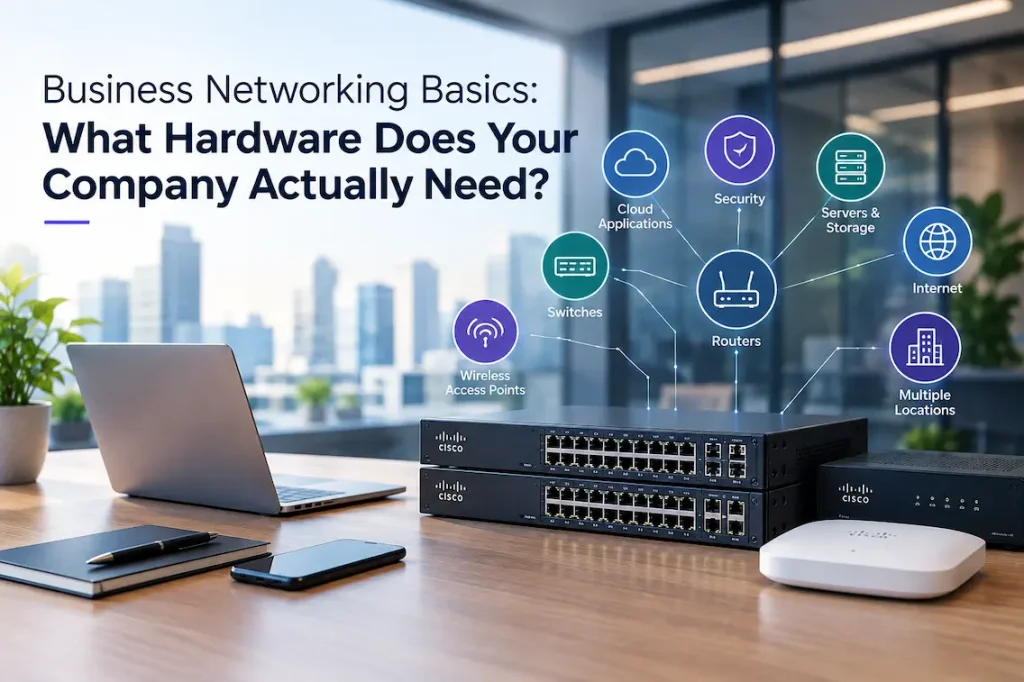
Business networking hardware forms the foundation of digital operations. Routers connect networks, switches connect devices, access points provide wireless connectivity, firewalls help protect traffic, and communication systems enable employees to stay connected.
However, the individual components work best when they are planned as part of a complete infrastructure.
Businesses should begin by understanding their current requirements and expected growth. From there, they can select equipment that provides sufficient performance without creating unnecessary complexity.
With thoughtful planning, appropriate hardware, strong security practices, and regular monitoring, businesses can build a network that remains reliable as their operations expand.